Docs · Build
Publish your site and put it on your own domain
Publishing puts your site online on a free Creai address straight away. You can rename that address, and when you’re ready, connect a domain you already own or buy one in your name. Nothing is published or bought until you press the button.
- 01
Check what’s left
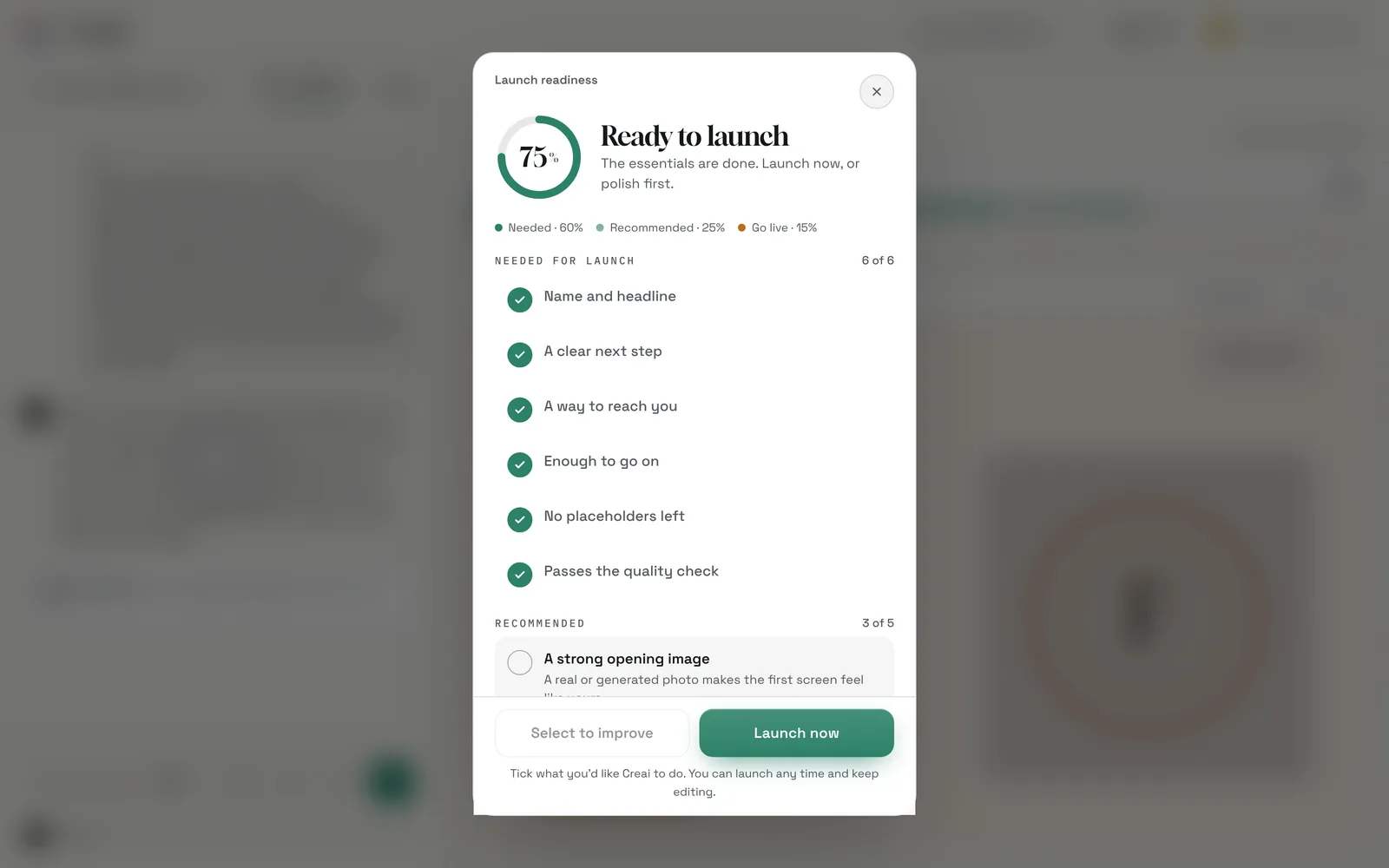
The Launch readiness bar above the preview scores how ready the site is: what’s needed, what’s recommended and going live. Open it to see each item. Tick what you’d like Creai to do and press Select to improve, or press Launch now to publish.
- 02
Publish on your free Creai address
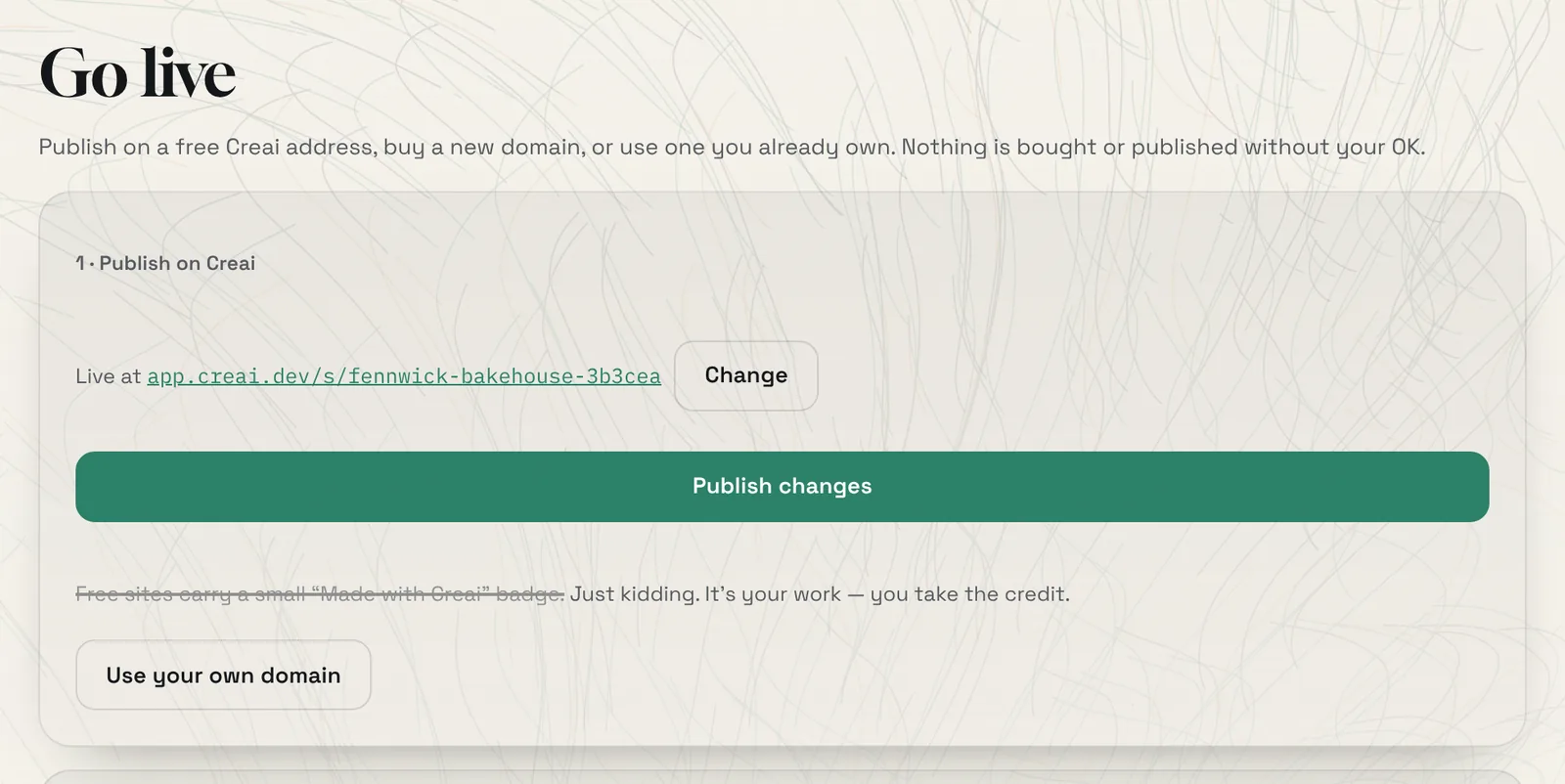
Open Own it, then Domain. Under 1 · Publish on Creai, press Publish site. Your site is live straight away on a free Creai address, shown with a link you can open and share. After you change something, press Publish changes.
- Free sites carry no Creai badge.
- Links to your site get a share card in its own colours, so they look finished in messages and on social media.
- 03
Change the address
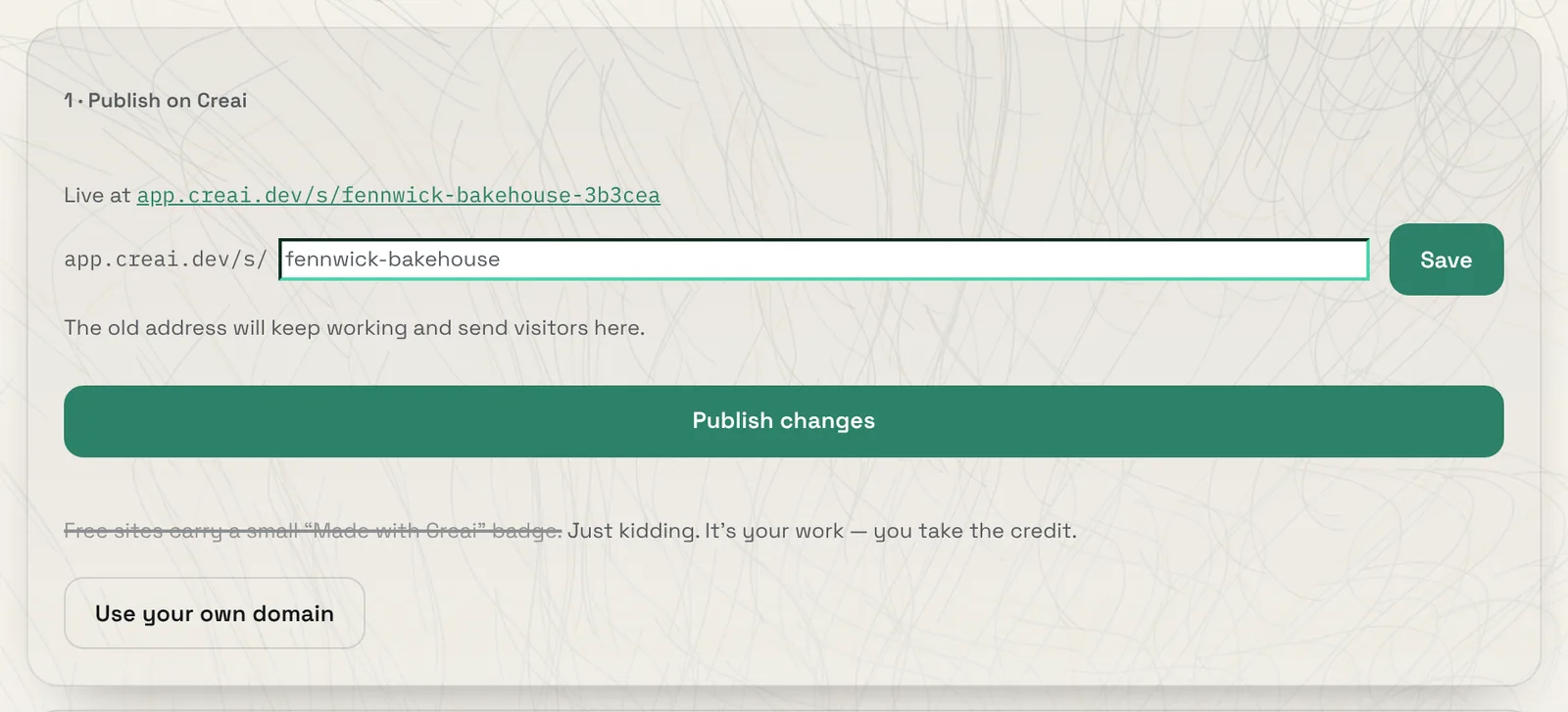
Press Change next to the address, type the name you want and press Save. Use 3 to 40 lowercase letters, numbers or single hyphens. The old address keeps working and sends visitors to the new one.
- 04
Open it on your phone
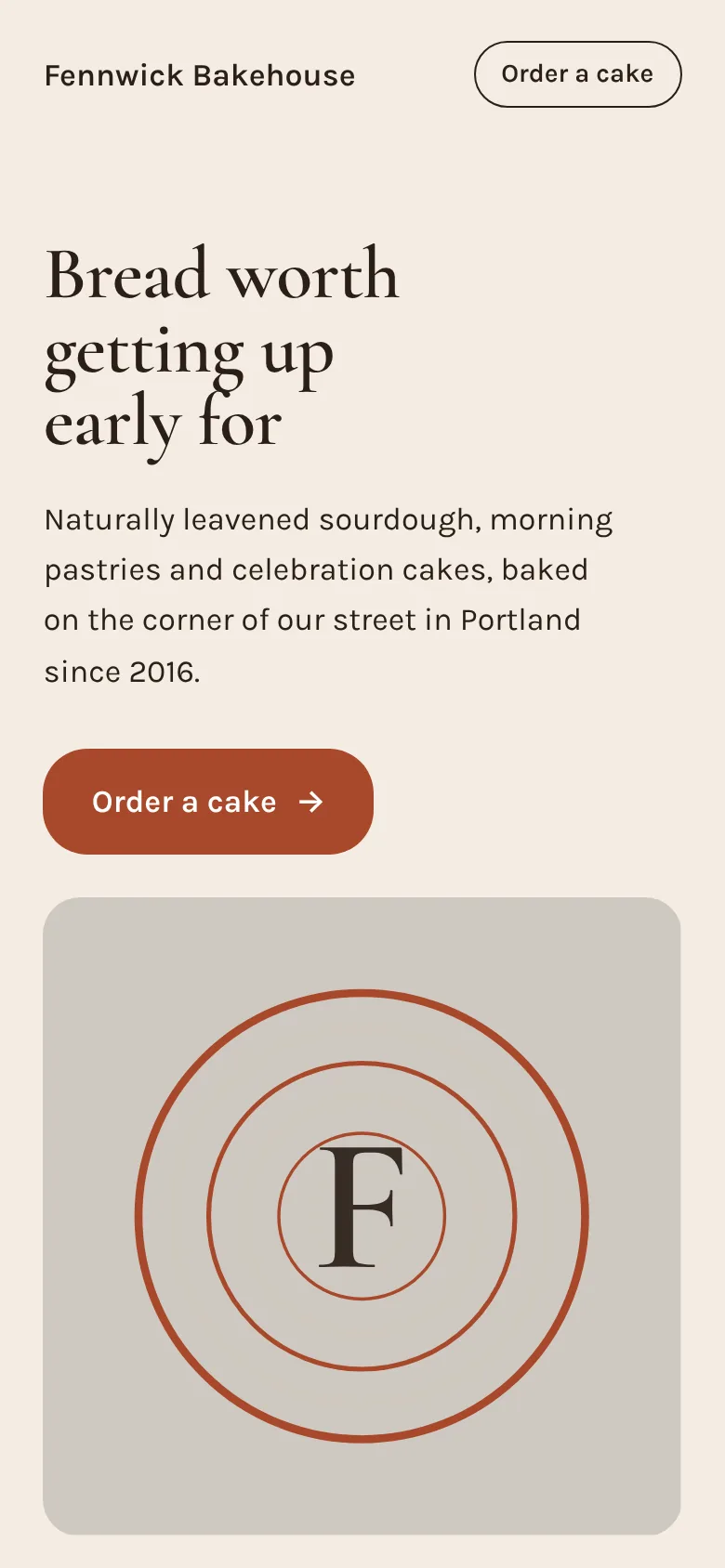
Open the link on your phone to see what visitors see. Published sites are built for phones as well as desktops, and were checked at both sizes before you saw them.
- 05
Connect a domain you own
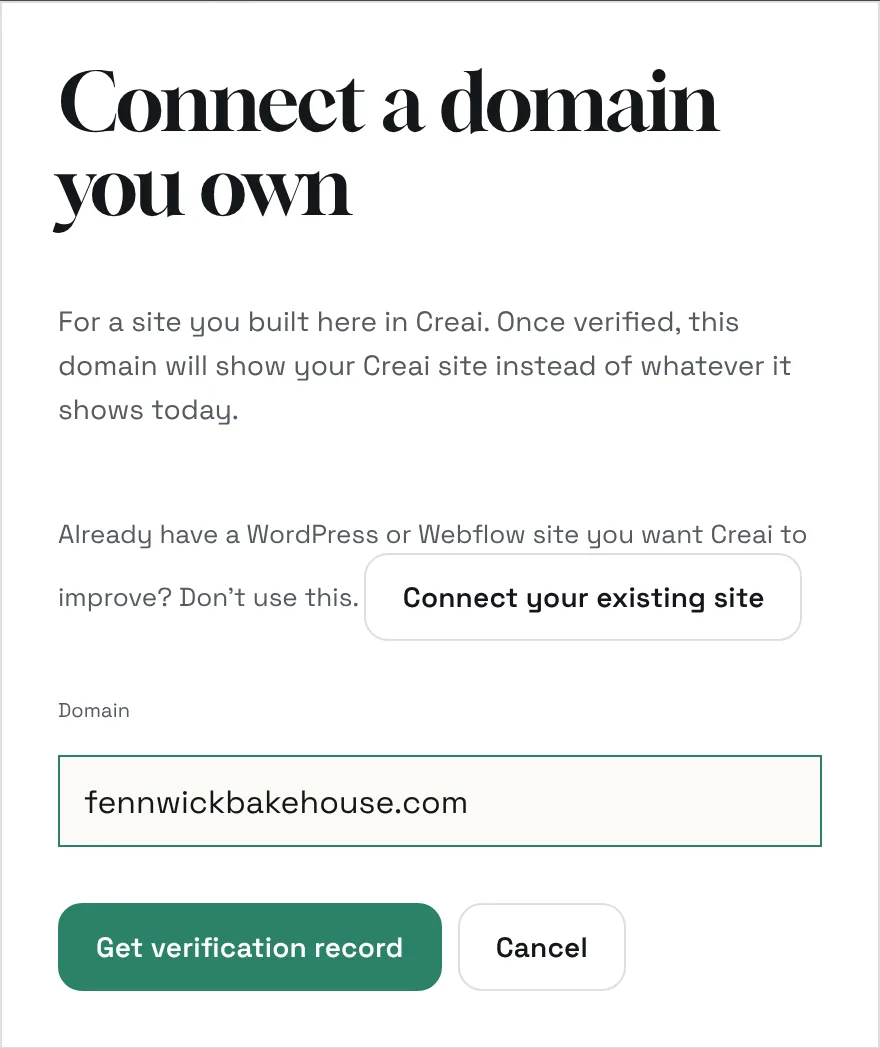
On the same page, under 3 · Use a domain you own, press Connect a domain. Type the domain and press Get verification record. Running your site on your own domain is part of the Launch and Growth plans.
- Already have a WordPress or Webflow site you want to keep? Connect the site instead, and Creai works on it where it is.
- Don’t have a domain yet? Under 2 · Get a domain, search for one and buy it in your name. A yearly plan includes a standard domain every year.
- 06
Prove it’s yours, then point it at your site
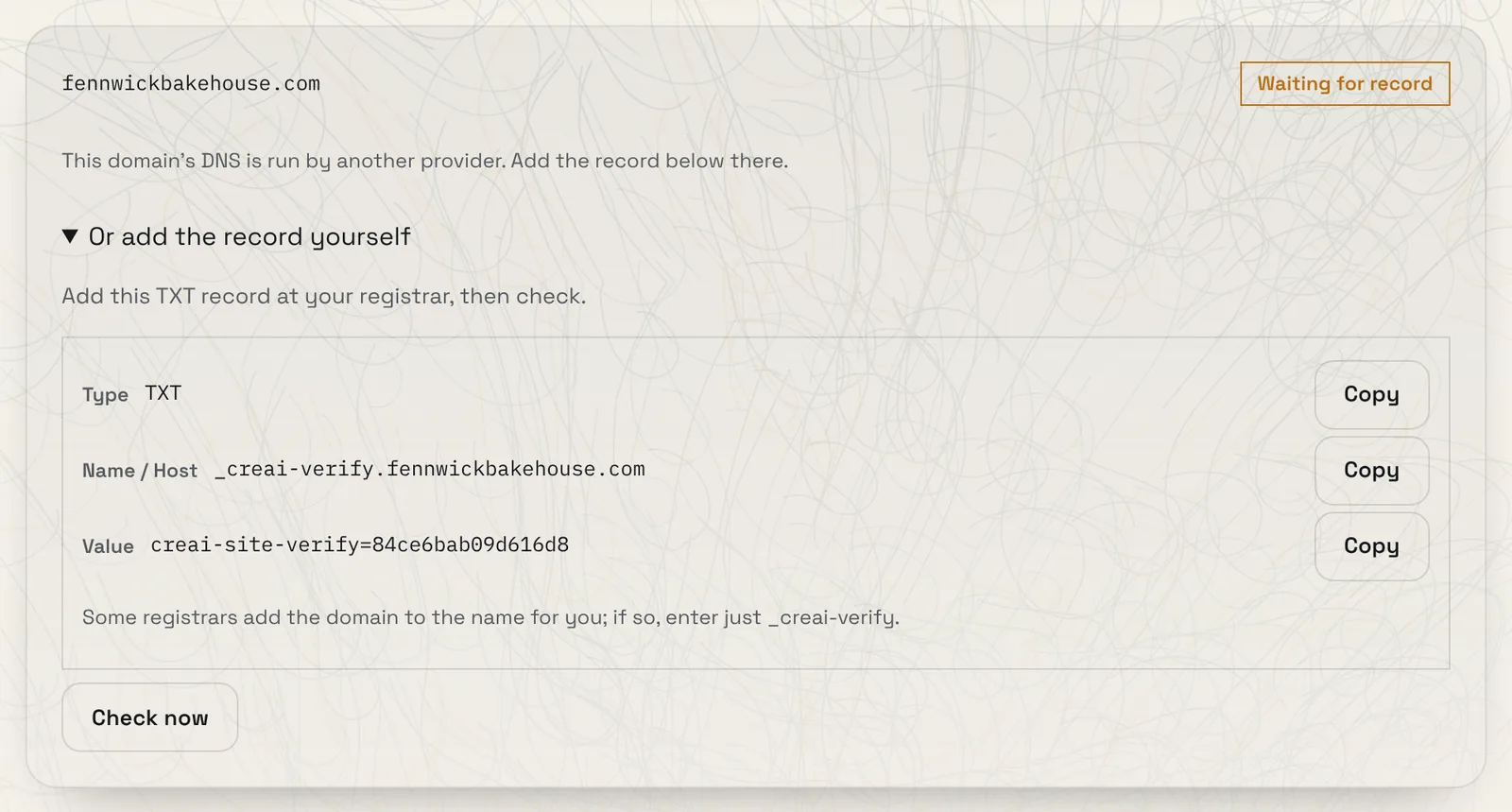
Add the TXT record Creai shows at the company that runs your domain’s DNS, then press Check now. If that’s GoDaddy or Cloudflare, you can paste an API key instead and Creai adds the record for you. Once the domain is verified, press Point to my Creai site. Creai sets the records, and the certificate for HTTPS follows shortly after.
- Creai only writes the records your site needs. Email and other records are never touched.
- Some registrars add the domain to the name for you. If yours does, enter just the first part, as the note under the record says.
Good to know
- If a paid plan ends, your site stays online on its free Creai address, and any domain you bought stays registered to you.
- A domain bought through Creai is registered in your name, with WHOIS privacy where available, and you can move it to another registrar any time.
What it doesn’t do yet
- Your own domain needs the Launch or Growth plan. The free Creai address is always free.
- Publishing and buying a domain need an account.
Questions
Will connecting my domain break my email?
No. Creai never changes email records. It adds only the records your site needs.
Can I change my free address later?
Yes, any time. The old address keeps working and redirects to the new one.
What happens if I cancel my plan?
Your site stays online on its free Creai address. A domain you bought stays registered in your name.
Related guides
Updated 2026-10-31.