Docs · Products
Design a physical product by describing it
Tell Creai what you want made, who it is for and roughly how many. In a few minutes you get a spec, a 3D model of every part, a manufacturability check with each finding pinned on the model, and the files a factory or a 3D printer needs. The pictures below follow one real design from start to finish: a weighted phone stand with a silicone grip pad.
- 01
Start a product and describe it
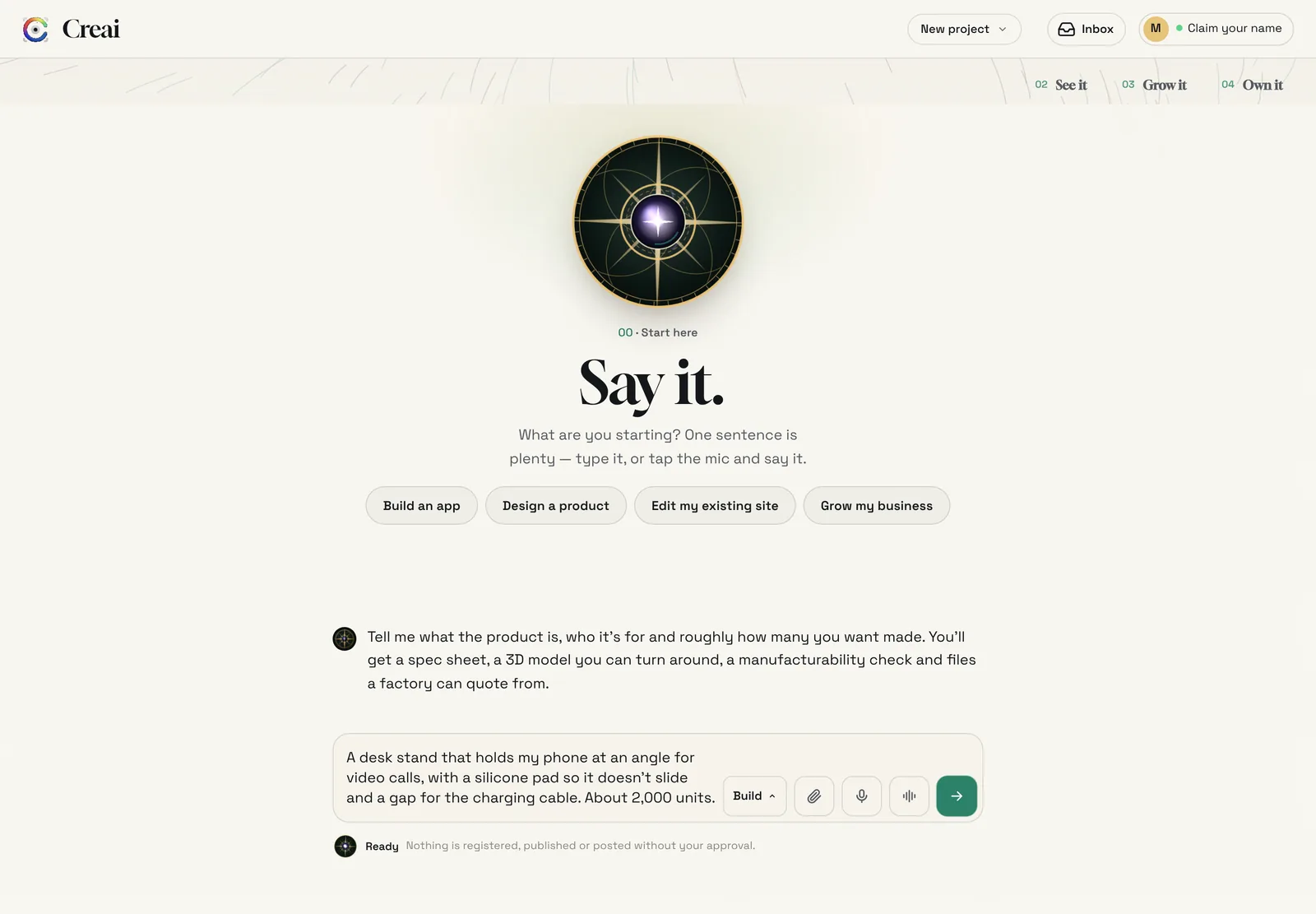
On the first screen, choose Design a product, or open + New and choose New product. Then say what it does, who uses it and roughly how many you want made. Type it, or tap the microphone and speak; your words appear in the box and nothing is sent until you send it. Sizes, materials and must-haves help, but you can leave them out: Creai chooses and lists what it assumed.
- 02
Watch it take shape
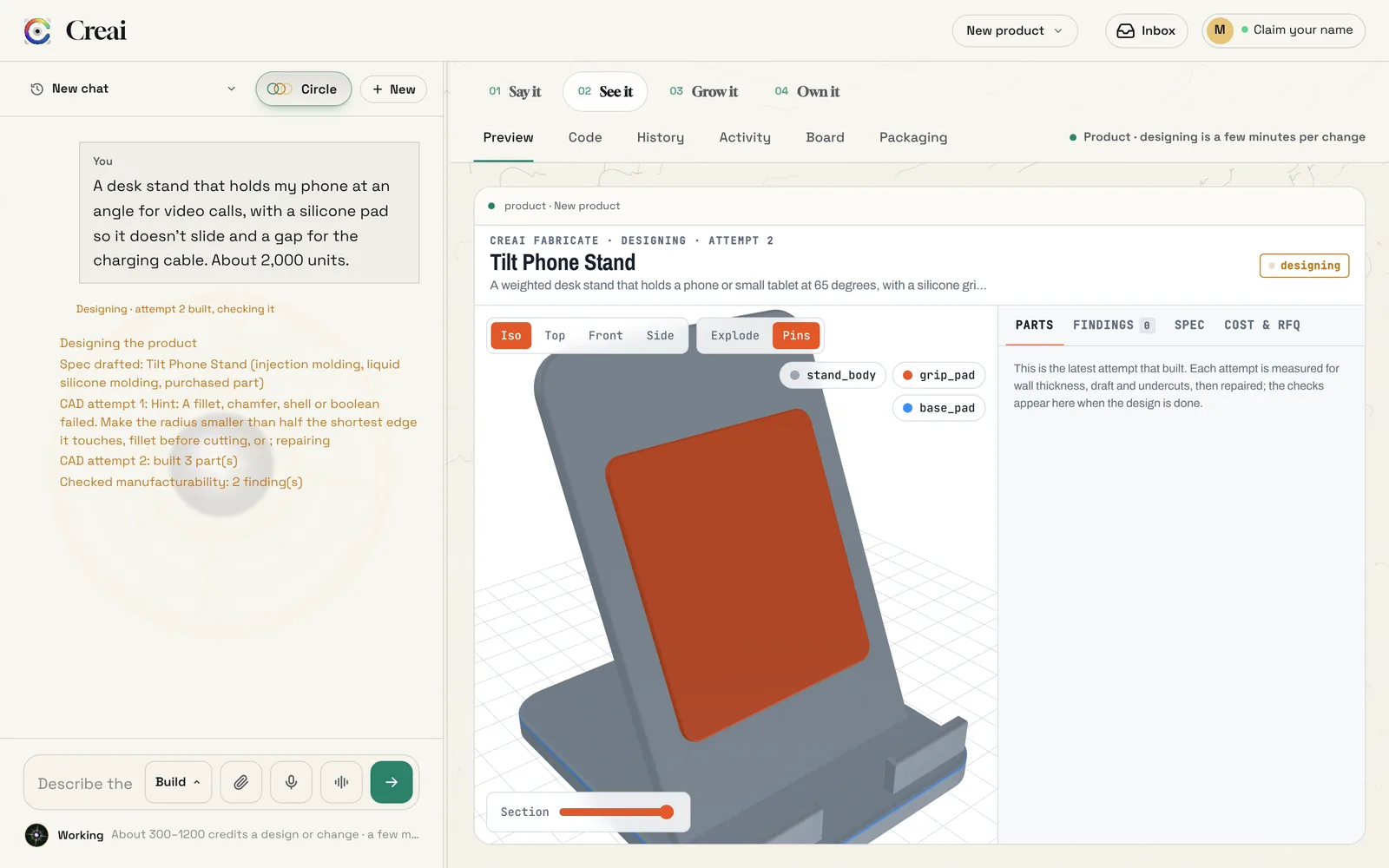
A design takes a few minutes. The chat lists each step: the spec, every CAD attempt and the manufacturability check. If an attempt fails, Creai reads the error and repairs it. Each attempt that builds appears in the preview, marked as designing, so you can turn it while it works.
- 03
Read the result card
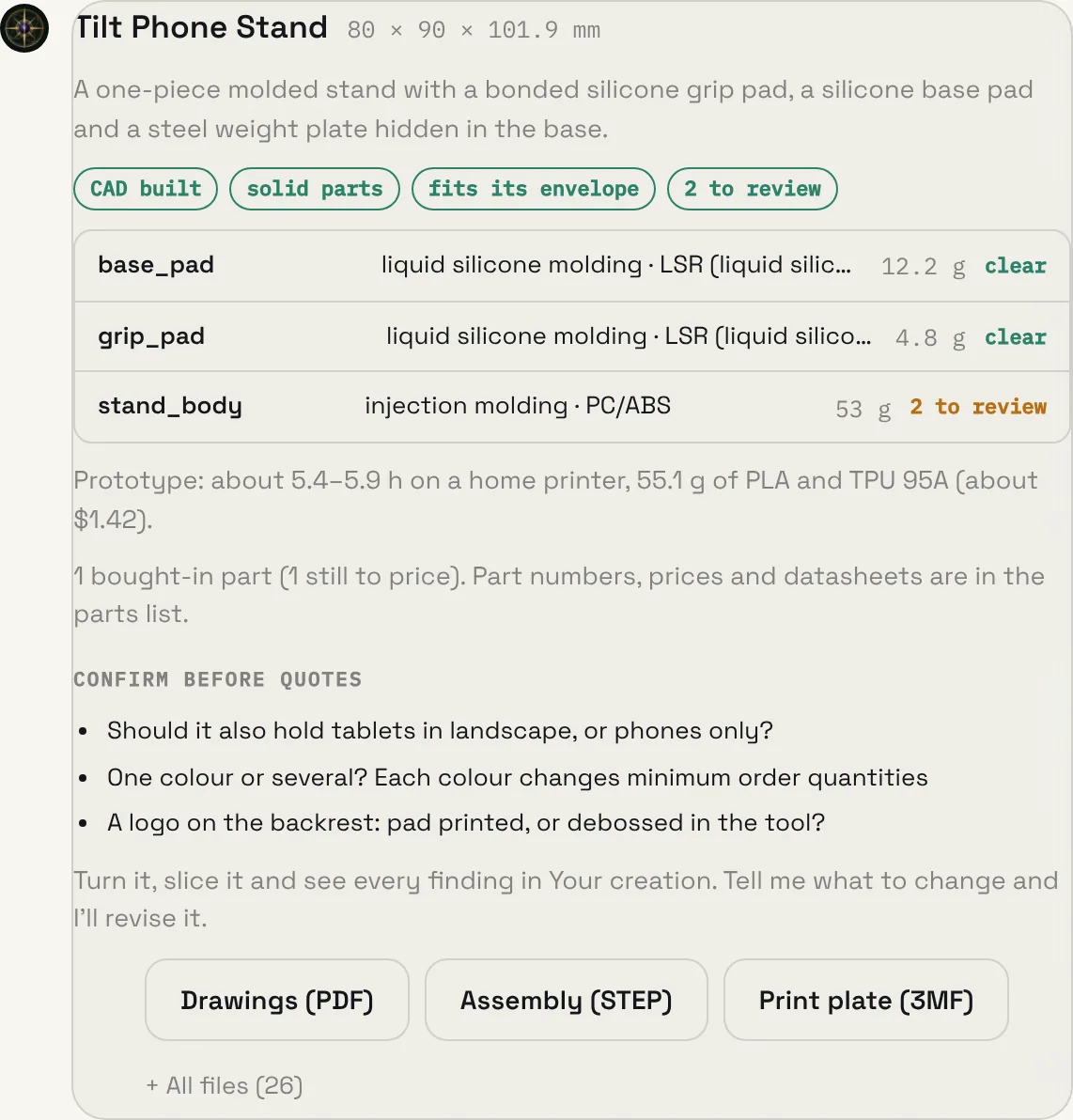
When it is done, a card sums up the design: its name and size, what was checked, and each part with its process, material, weight and findings. It also gives the print estimate for a prototype, any bought-in parts, and the questions to settle before you ask for quotes.
- "To fix" means a high finding, "to review" a medium one, "clear" nothing found
- Silicone and rubber parts are estimated in TPU 95A, the flexible filament a home printer can use
- Bought-in parts show their list price when it is known, or how many are still to price
- 04
See every finding on the model
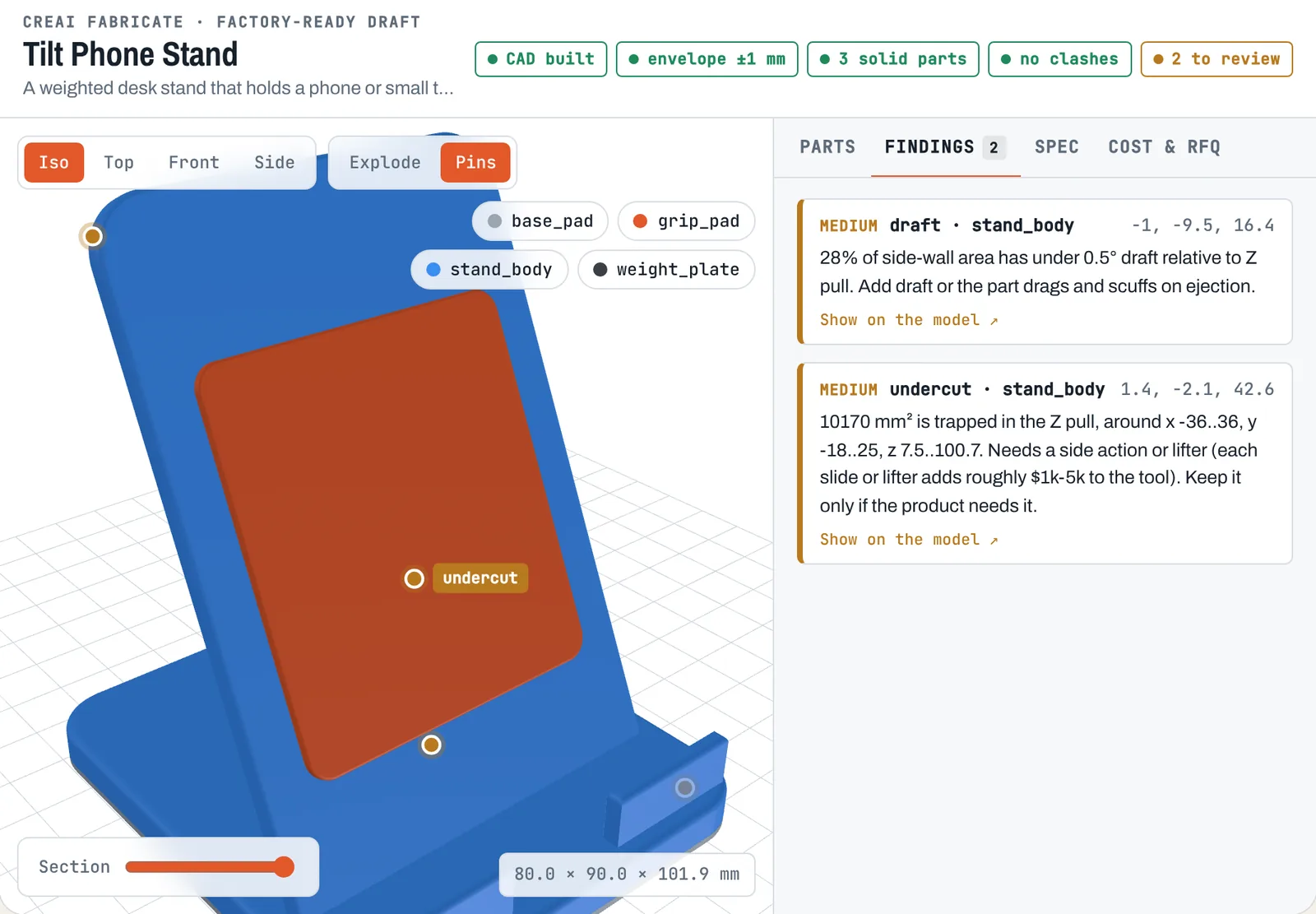
The 3D model opens in Your creation. Each part is measured for wall thickness, draft and undercuts against the rules of its process, and every finding is pinned to the spot it describes. Open Findings to read them; choose Show on the model to fly to one, or tap a pin to open its finding.
- 05
Turn it, take it apart, slice it
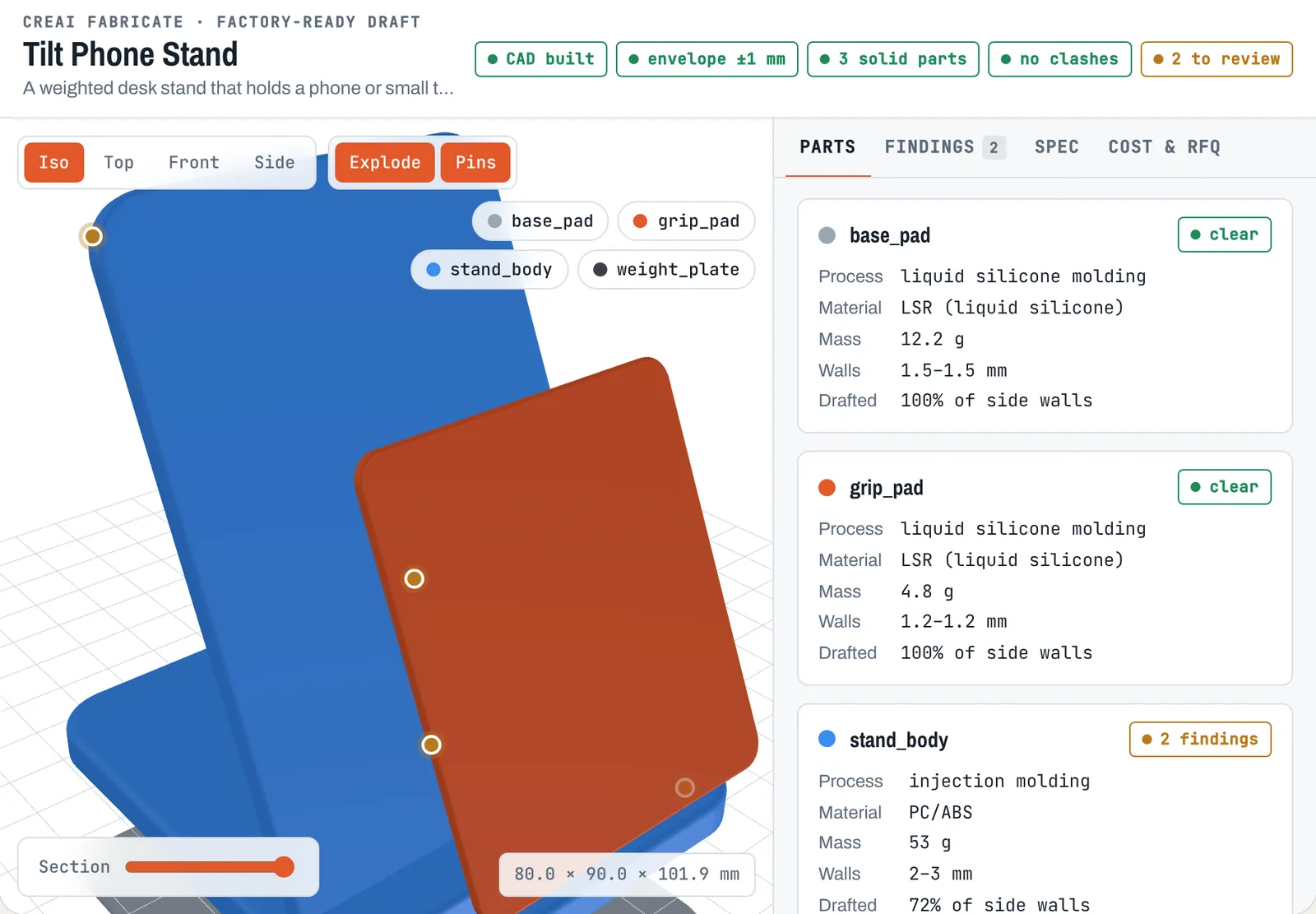
Drag to turn the model and switch between Iso, Top, Front and Side. Explode pulls the parts apart; the Section slider cuts the model at a height you choose. Tap a part name to hide or show it, and tap a part in the Parts tab to focus on it.
- 06
Check the spec and the cost
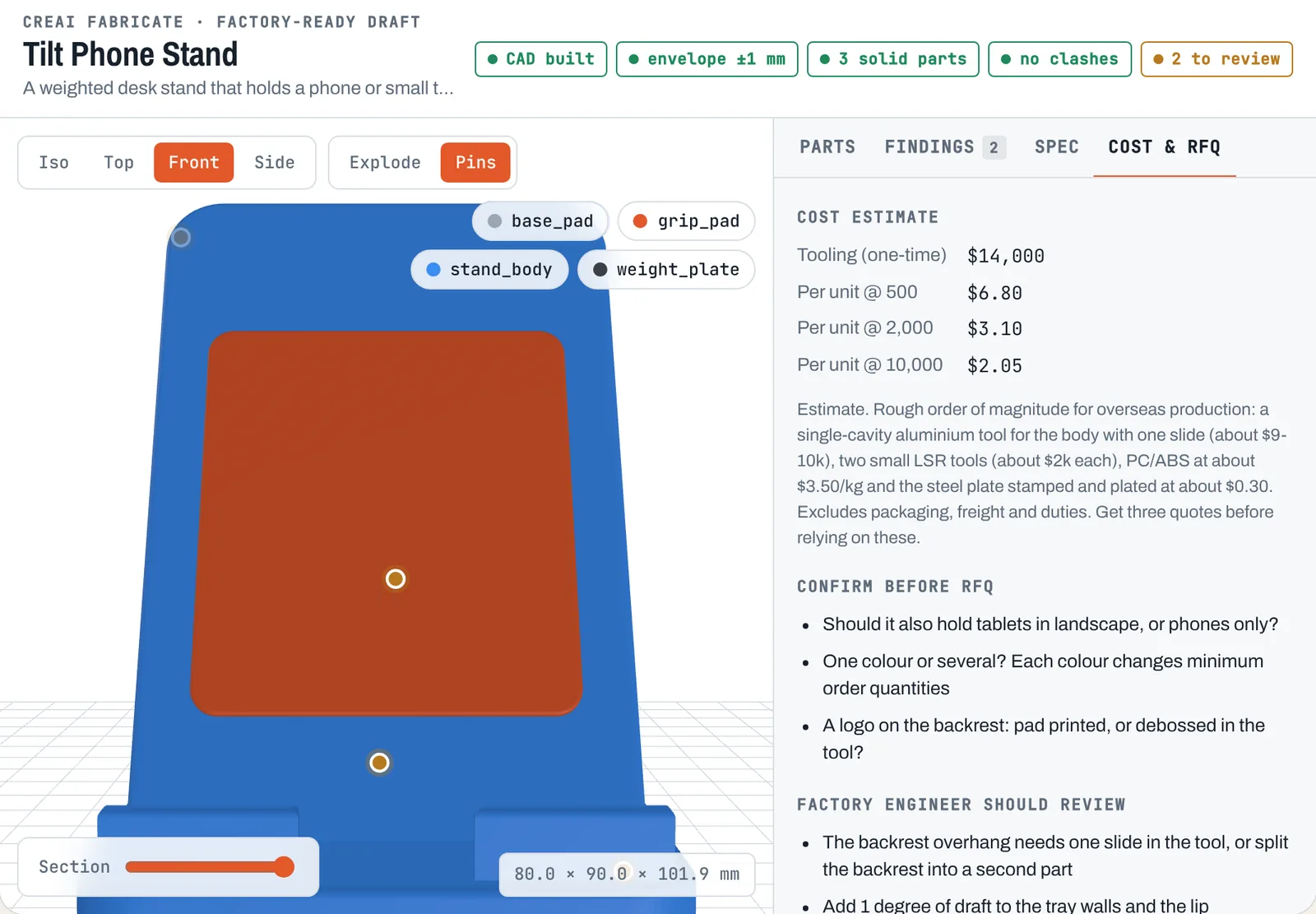
Spec lists every part with its material, process, tolerance and key dimensions, plus the assumptions Creai made. Cost & RFQ shows a rough cost at each quantity with the basis for it, the questions to confirm, the points for a factory engineer to review and search terms for finding manufacturers.
- 07
Ask for changes
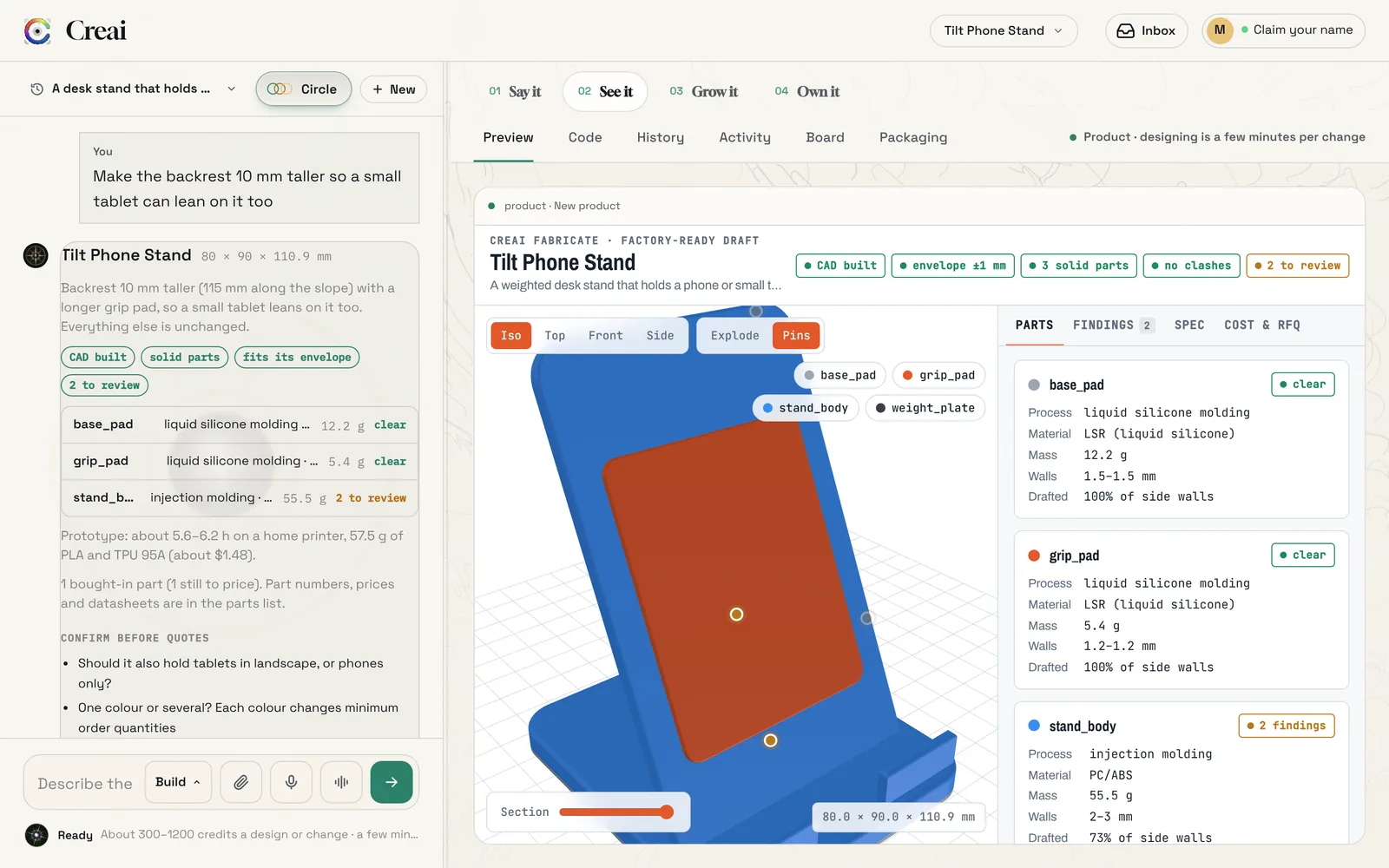
Tell Creai what to change in the same chat. The next message revises this design rather than starting again: it keeps the names, materials and decisions you did not ask to change, runs every check again and gives you a new card.
- 08
Download the files
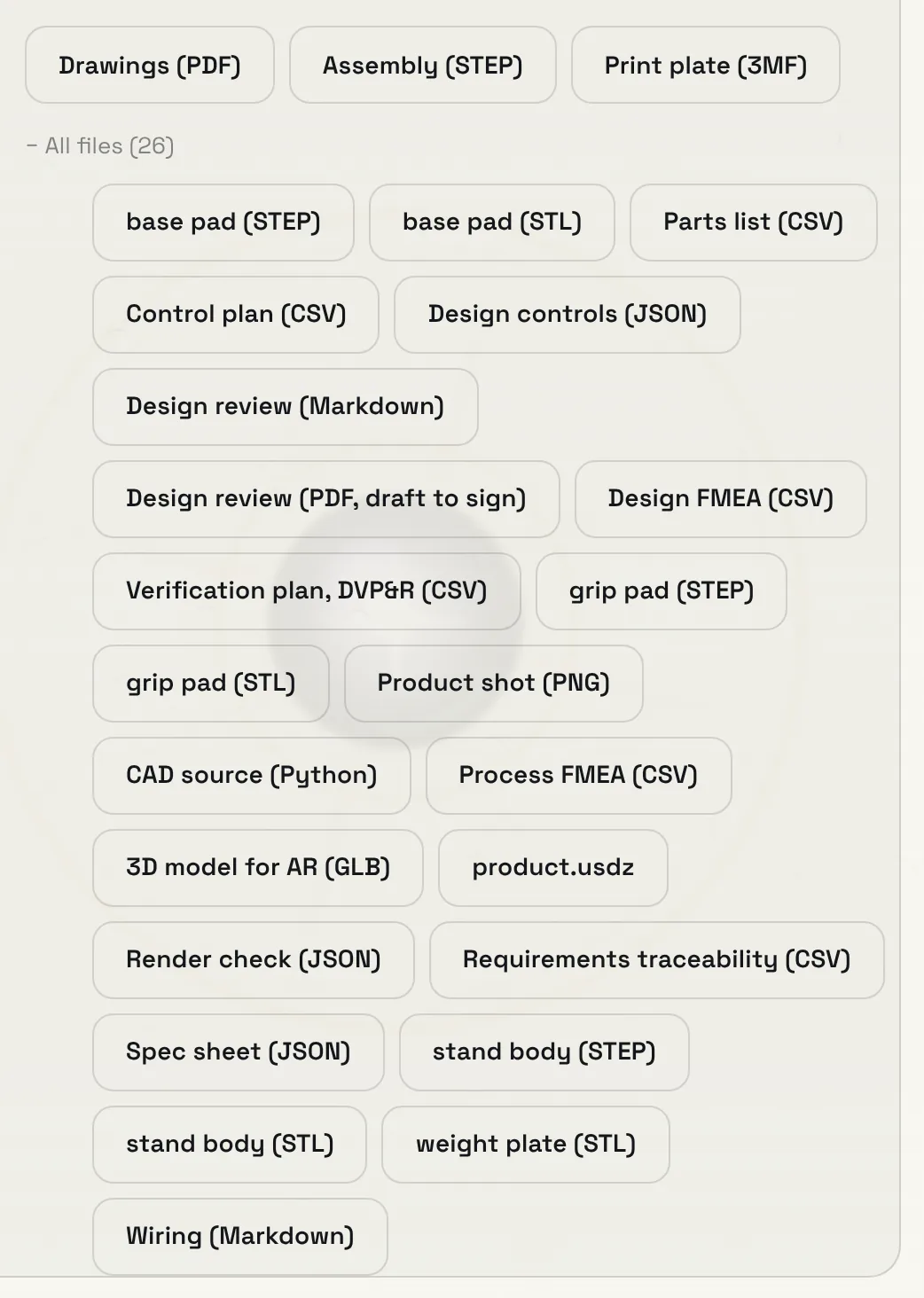
Drawings, the assembly STEP and the print plate are on the card. All files opens the rest. Every file is yours to take to any manufacturer.
- Drawings (PDF): a dimensioned sheet for each part, third-angle projection, in millimetres
- STEP: the assembly and each part, for any CAD program and for factory quotes; STL for each part too
- Print plate (3MF): every part laid flat on one build plate, for OrcaSlicer, Bambu Studio, PrusaSlicer or Cura
- Parts list (CSV): every part, made and bought, with part numbers, prices and datasheets where known
- 3D model for AR (GLB and USDZ), a product shot, the spec sheet and the CAD source
- Drafts for your engineer to review and sign: design review, design and process FMEA, control plan, verification plan and requirements traceability
Good to know
- If the first message in a new chat describes a physical thing, Creai offers to design it as a product and switches after a few seconds. Choose No, build a website to stay with a site.
- You can close the tab while a design runs. It keeps going, and the product is there, finished or still designing, when you come back.
- The line under the message box shows about how many credits a design or change takes. Starting a design needs about 600 credits available.
- On a phone, open See it to turn the model and read the parts, findings, spec and cost.
What it doesn’t do yet
- A design is a factory-ready draft for quotes and samples, not a certified design. A factory engineer still reviews it before tooling is cut.
- Costs and print times are estimates.
- Strength, fit, drop and heat checks are first-order estimates for an engineer to confirm, not a certified analysis.
- If the product needs a custom circuit board, you get a draft netlist and parts list for an electronics engineer to lay out, not a finished board.
Questions
Do I need CAD experience?
No. You describe the product and Creai models it. If you do use CAD, the STEP files open in any CAD program.
What can it make parts from?
The spec picks a process and a real material grade for each part: injection or silicone molding, overmolding, die casting, CNC, sheet metal, extrusion, urethane casting or 3D printing.
Who owns the design?
You do. Every file is yours to download and take to any manufacturer.
Related guides
Updated 2026-10-31.