Docs · Account
Understand credits, plans and what things cost
Credits pay for the AI work Creai does for you. You see the likely cost before you send, your balance never goes below zero, and some work is on us. This guide covers where to find your balance, how plans and top-ups add credits, and how to keep spending in check.
- 01
Find your credits
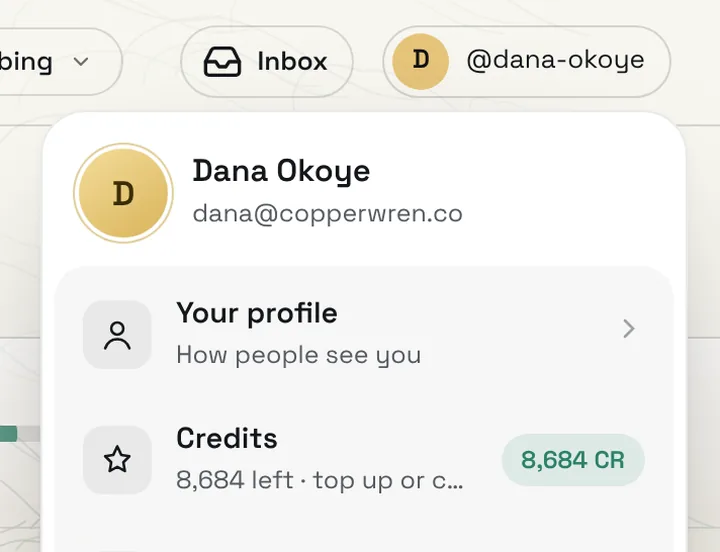
Press your name in the top corner. Credits shows your balance; press it to open the Credits page with your plan, top-ups, monthly limit and history.
- 02
Read your balance and plan
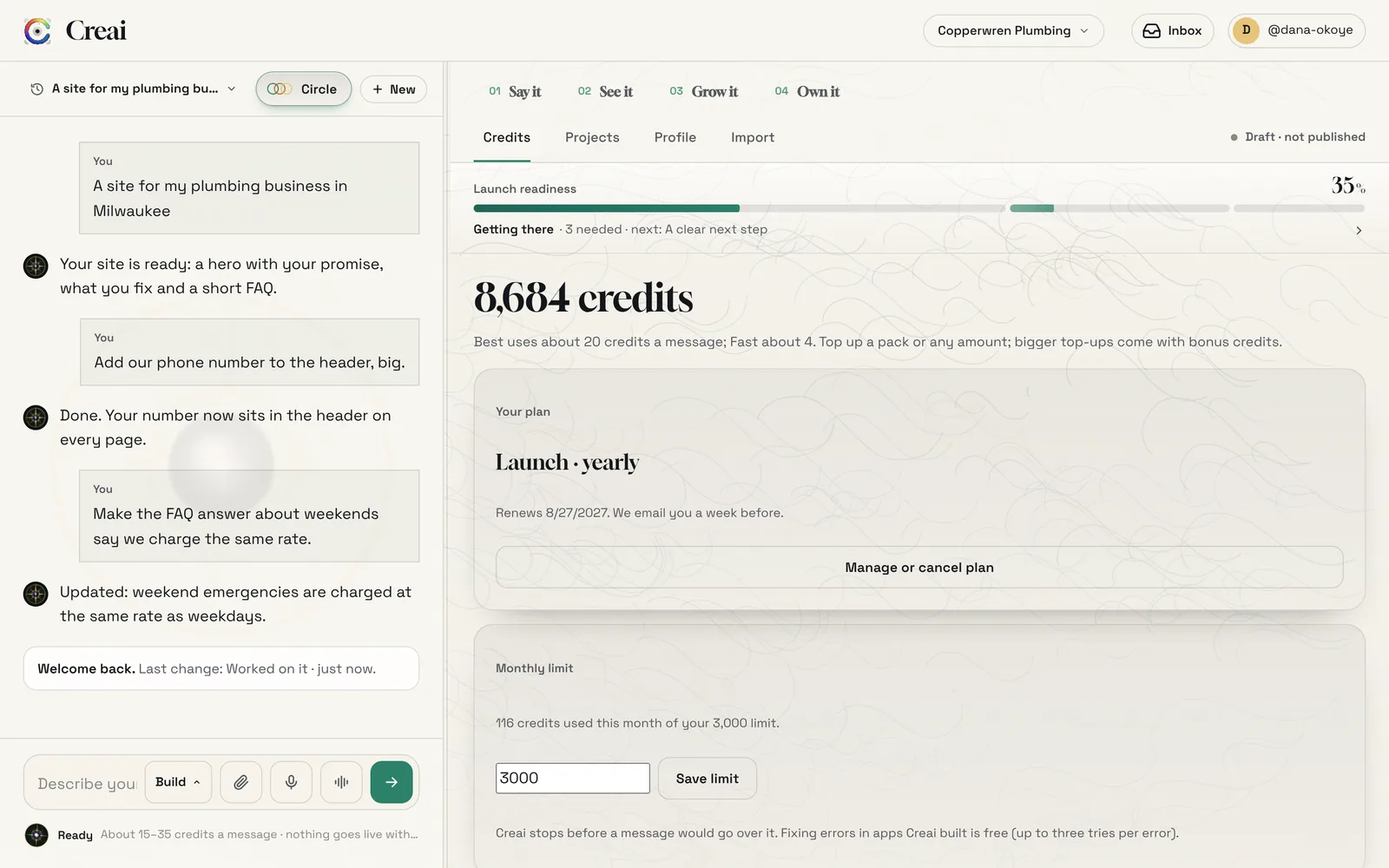
The Credits page opens on your balance and your plan. One credit is worth one cent. Each message is charged for the AI work it actually used, so a short answer costs less than building a new section.
- What spends credits: messages to Creai (Build, Plan and Chat), routine runs, game builds, product designs, videos, domains you buy with credits, spoken replies, and the AI assistant inside apps you build
- Chat is the cheapest way to ask a question; it never changes anything
- 03
Check the cost before you send
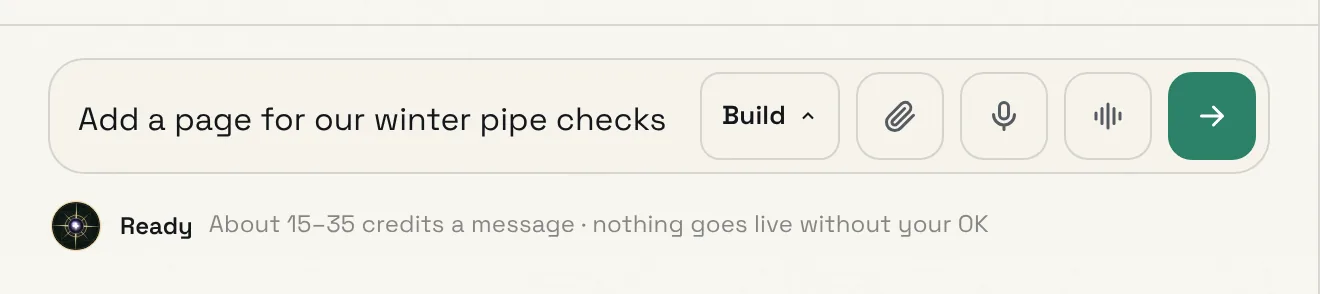
Under the message box, Creai shows about how many credits the next message will take. It starts from typical ranges and, once you have a few messages behind you, uses your own recent ones.
- 04
Start free, then choose a plan
Every new workspace gets 150 welcome credits, and your first credits run on Creai’s best model. On the free plan, when they run out, the free engine keeps you building websites and marketing with a daily allowance of free messages. Apps, games and videos come with the Launch plan, or with credits you top up.
- Launch adds your own domain with HTTPS, apps, games and videos, and credits every month. Yearly includes your first-year domain and its renewals.
- Growth adds scheduled posting to your social accounts and more monthly credits
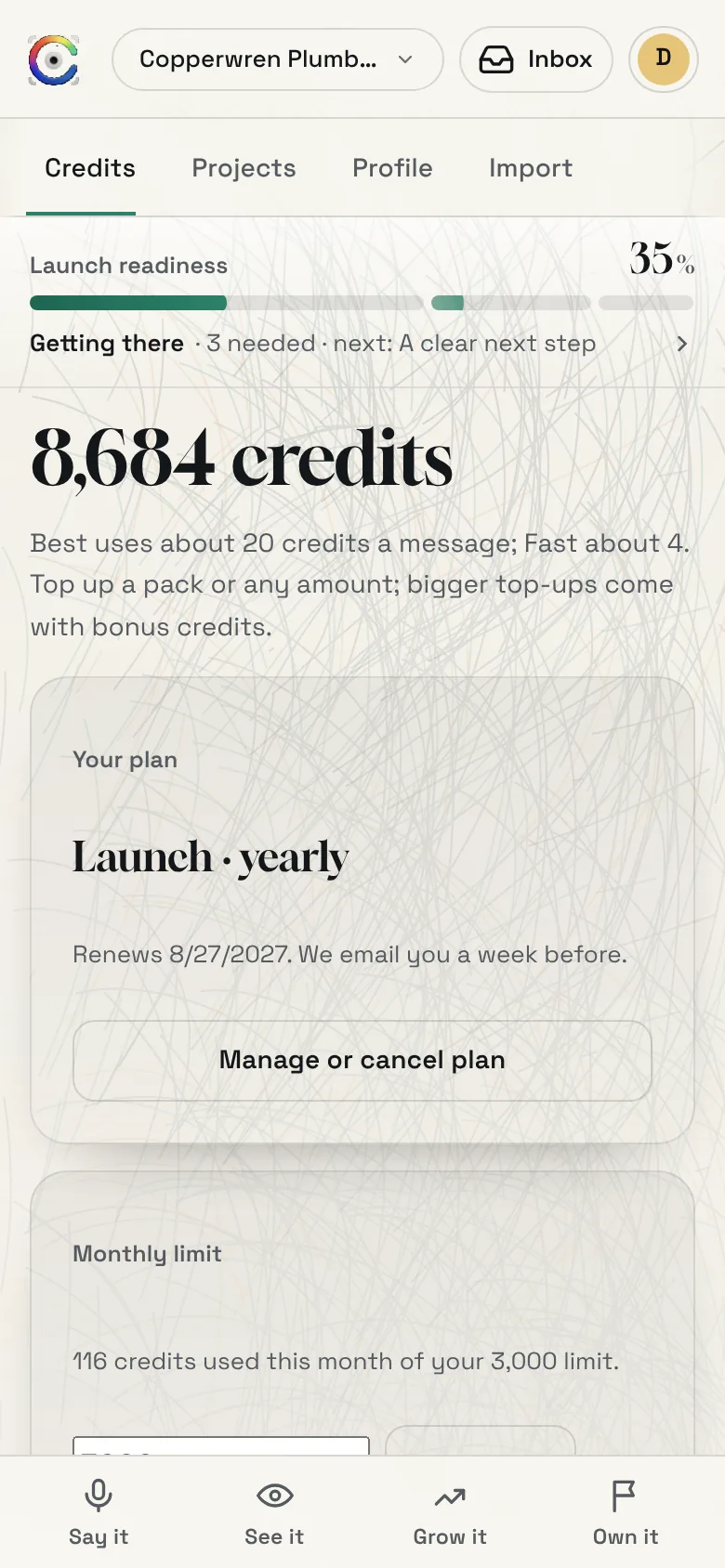
- Plans are paid through Stripe. Manage or cancel plan opens Stripe’s page to switch plan, change card, see invoices or cancel in one tap.
- 05
Top up a pack or any amount
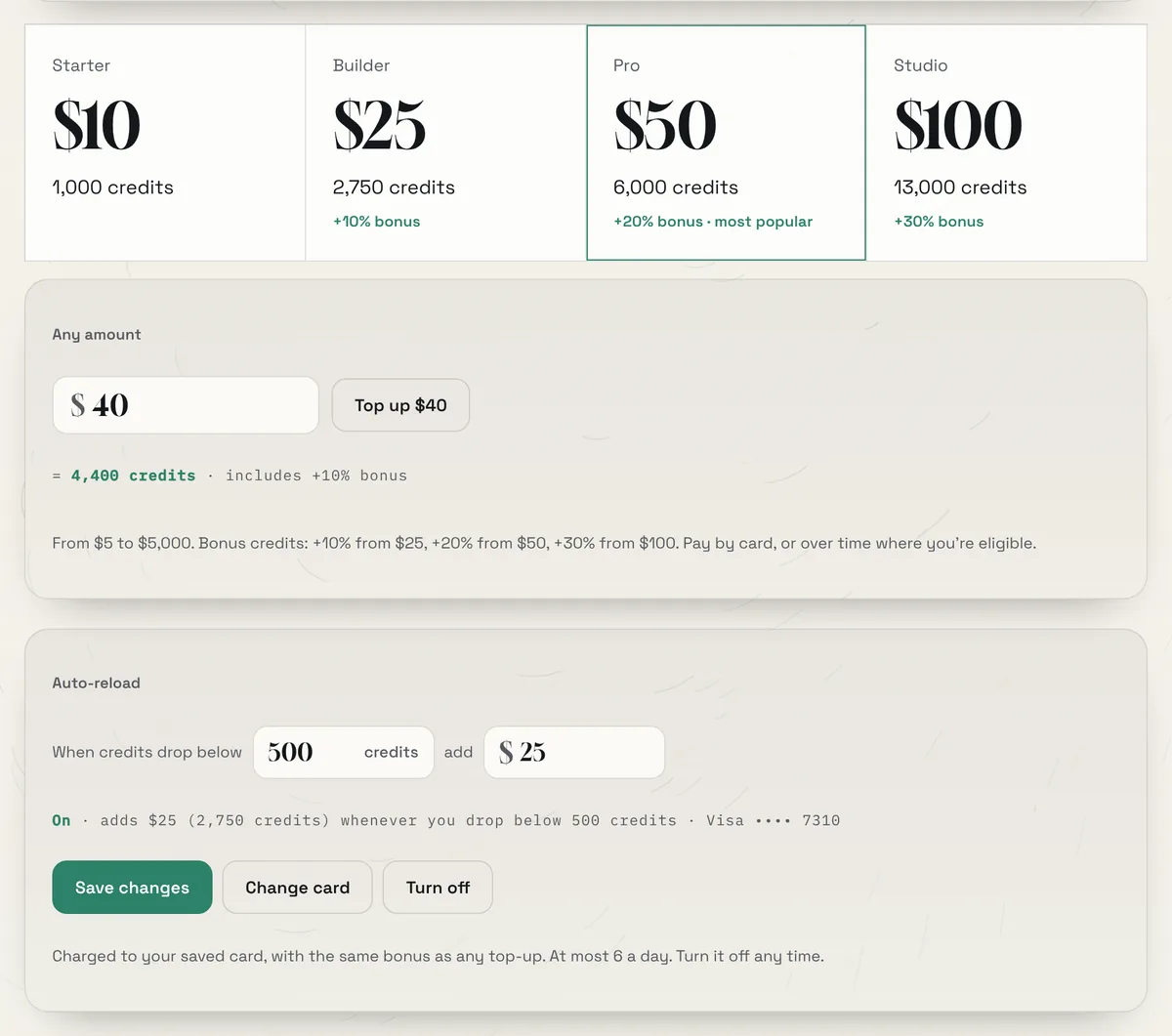
Pick a pack, or type any amount from $5 to $5,000 and see the credits it buys before you pay. Bigger top-ups come with bonus credits. You pay in a payment panel inside Creai; card details go straight to Stripe and never touch Creai, and credits are added once Stripe confirms the payment.
- $10 buys 1,000 credits. From $25 you get 10% extra, from $50 20%, and from $100 30%.
- Auto-reload tops you up when credits drop below a number you choose, so a build never stops halfway. Your card is saved with Stripe, it charges at most six times a day, and you can turn it off any time.
- Only a workspace owner can top up or change the plan. Others see a note to ask the owner.
- 06
Set a monthly limit
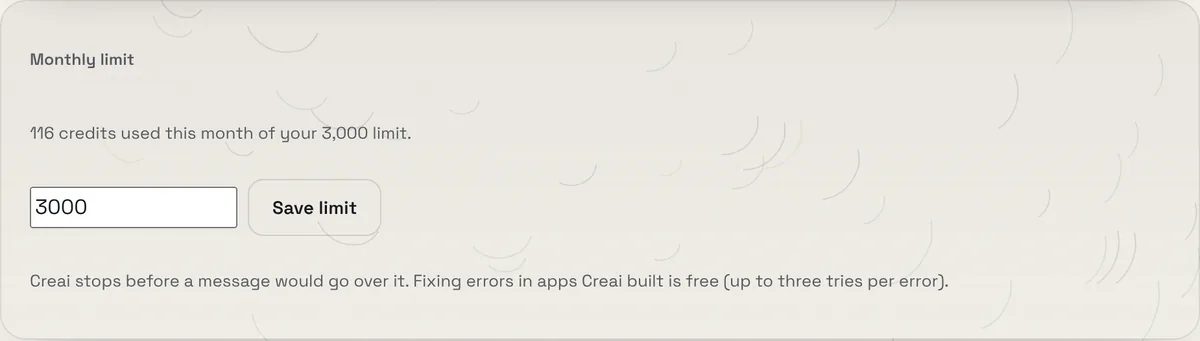
Under Monthly limit, enter the most credits your messages to Creai may use in a calendar month and press Save limit. Creai stops before a message would go over it, and routine runs count too. Clear the box to remove the limit.
- 07
Read your history
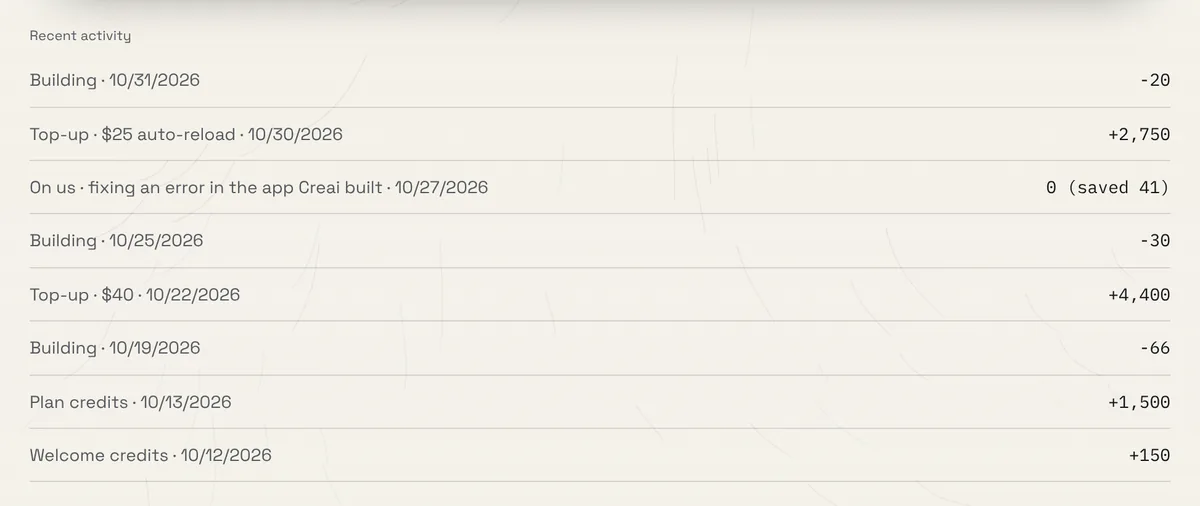
Recent activity lists every change to your balance: welcome credits, plan credits, top-ups, building, and work that was on us, with what it would have cost.
Good to know
- Fixing an error in an app Creai built is on us, up to three tries per error. It shows in your history as On us.
- Your balance never goes below zero. If a message costs more than you have left, Creai takes what’s there and absorbs the rest.
- If registering a domain fails, the credits come back.
- On the free plan, if the paid model is unavailable partway through a message, the rest runs on the free engine at no charge, and Creai says so.
- You’re emailed before a plan renews, and if a plan ends your site stays up on its free Creai address.
- Rather have it done for you? On the free plan, the plan card has a Request a done-for-you launch button. A person replies within one working day, and nothing is charged in the app.
Questions
How much do plans cost?
See /pricing for current prices and how many credits each plan adds every month.
Who can buy credits?
Workspace owners. Anyone else sees a note to ask the owner.
Who can set the monthly limit?
Owners, admins and members. Viewers can’t.
What happens when I run out?
New messages pause until you top up. Everything you’ve built is saved and published sites stay up. On the free plan, the free engine keeps building websites and marketing with a daily allowance.
Related guides
Updated 2026-10-31.