Docs · Account
Take your work with you
What you build in Creai is yours. Download any Creation as a zip whenever you like, on any plan. Your domain is registered in your name, a plan ending never takes your site offline, and you can delete your account and its data yourself.
- 01
Export a Creation
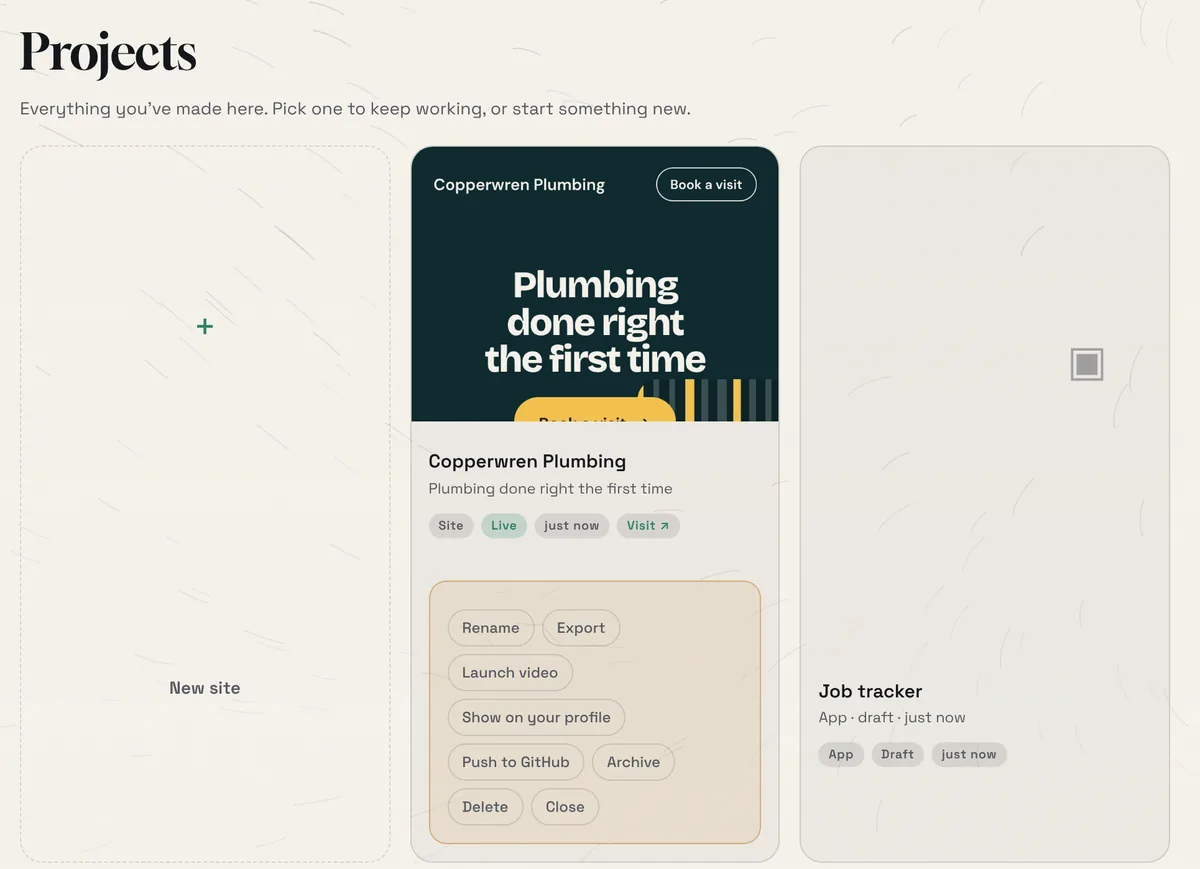
Open the project menu at the top, choose See all projects, press the three dots on a Creation and choose Export. A zip downloads straight away. There is no plan check.
- Archive hides a Creation without deleting it. Delete removes it for good.
- 02
Know what’s in the zip
Each zip has a README that says plainly what’s inside and what, if anything, still depends on Creai.
- A site: index.html, your published page standing on its own for any web host, plus site.json (what the page was built from), a share picture and an icon
- An app: its real source code and app.json (who may read and write each kind of data). The README names the four parts that call Creai’s API (records, sign-in, uploads and payments) so you know what to replace to run it elsewhere.
- A game: the Godot project as source. Open it in Godot 4.5 or later; nothing in it depends on Creai.
- 03
Keep your domain and your site online
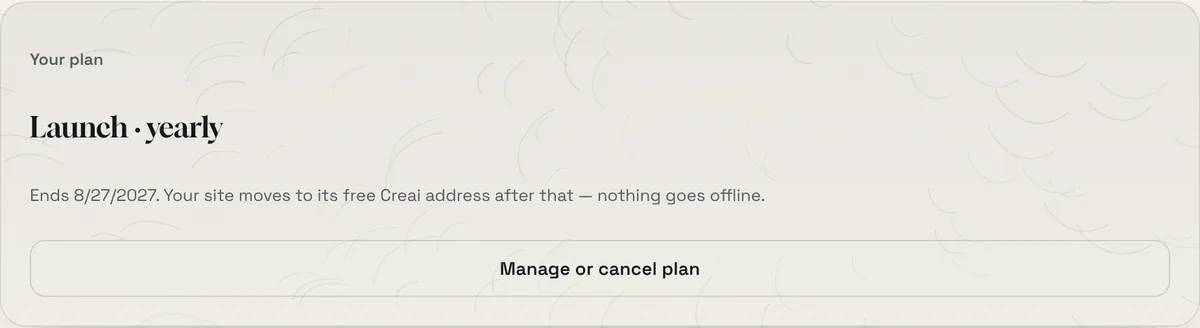
A domain you buy through Creai is registered in your name, and you can move it to another registrar any time. If you cancel a plan, it runs to the end of the period you paid for. After that your site moves to its free Creai address instead of going offline.
- 04
Delete your account if you want to
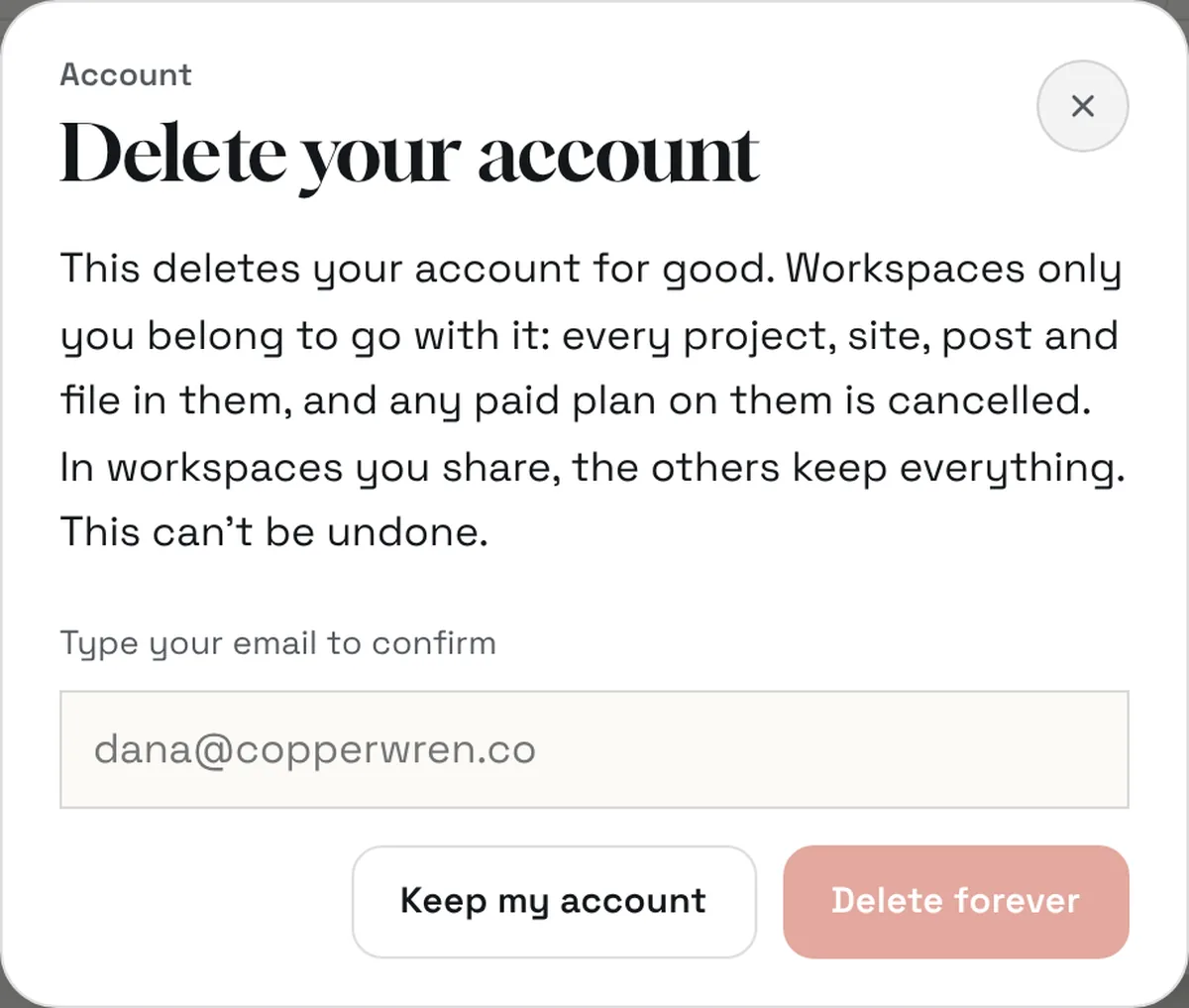
Press your name, then Delete account, and type your email to confirm. Workspaces only you belong to are deleted with it, along with every project, site, post and file in them, and any paid plan on them is cancelled. In workspaces you share, the others keep everything. This can’t be undone, so export anything you want to keep first.
Good to know
- Every published version of a site is kept, and restoring an old one never deletes the newer ones.
- Exporting is logged in the Creation’s Activity, like other changes.
What it doesn’t do yet
- An app’s stored records aren’t in the zip. The README explains how to ask for them; they’re sent as JSON.
Questions
Do I need a paid plan to export?
No. Export works on every plan, at any time.
Who owns what I build?
You do. Export it whenever you like, and your domain stays registered in your name.
What happens to my site if I stop paying?
It stays online on its free Creai address, and visitors to your own domain are sent there. The domain is still registered to you.
Related guides
Updated 2026-10-31.