Docs · Products
How Creai checks a product design, and how you release a revision
A product design is only useful if you can trust its numbers. Creai checks the spec against the model it built, tags every number with where it came from, refuses to finish while a serious problem is open, drafts the paperwork an engineering firm keeps, and lets your engineer release the design as a lettered revision with a change order.
- 01
Read where each number comes from
Each number in a design summary carries a tag: [M] measured on the model, [C] calculated by a checked method, [S] taken from a source Creai fetched and read, or [A] assumed. Assumed numbers, such as a target unit cost, are labelled as assumptions so nobody quotes them as facts.
- 02
See the spec checked against the model
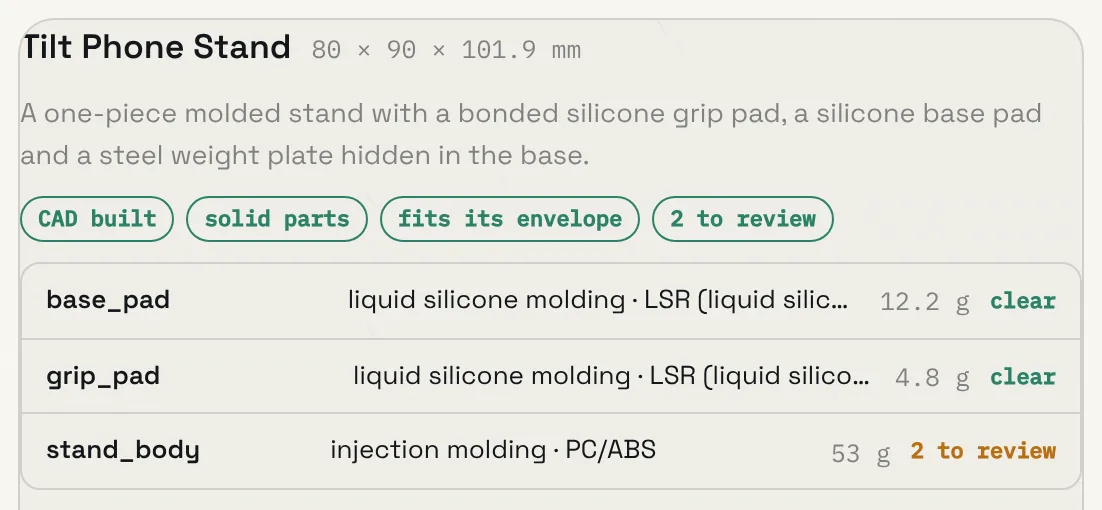
After every CAD build, the critical dimensions in the spec are matched by name to what is measured on the part: wall thickness, round holes, bosses, fillets, overall size, quantities and weight. A dimension that can’t be measured is listed as not measurable rather than passed. Units, materials against their processes, screw holes against ISO tables, and whether the parts can actually be put together in order are checked too.
- Science claims in the spec are checked against the page they cite, which must contain the claim’s numbers and key words
- Part numbers are confirmed from the catalogue or a distributor match, or marked unconfirmed
- The product shot and 3D model are checked against the CAD, so the picture shows the real parts
- 03
Check strength, fit, drop and heat
When the spec gives loads, a finite-element check reports a safety factor for each load case. Fits between parts are measured against both parts’ tolerances, a drop height gets an energy-method check, and the heat from electronics is compared with each plastic’s softening point. These are first-order checks for your engineer to confirm.
- 04
Fix or justify every serious finding
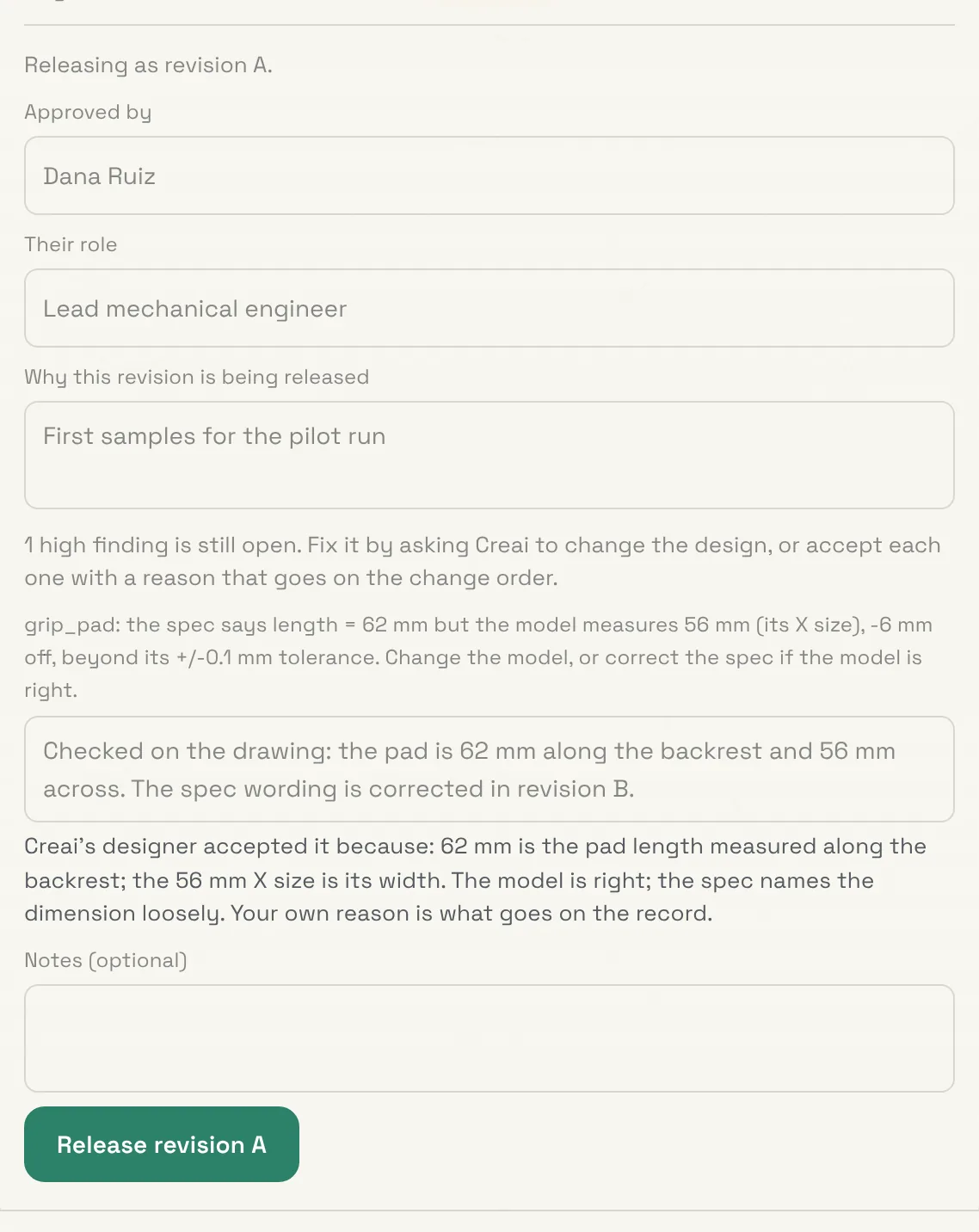
Creai won’t finish a design while a high-severity finding is open. Its designer has to fix the model, or accept the finding with a specific reason a reviewer could check, such as a planned test or a datasheet. Those reasons are shown to you in the summary and in the quote package.
- 05
Get the engineering paperwork as drafts
Each finished design comes with drafts of the records an engineering firm keeps under ISO 9001 §8.3: a requirements traceability matrix, a design FMEA with AIAG-VDA action priorities, a process FMEA, a control plan, a verification plan naming the test standard for each physical test, and a design-review PDF with an unsigned sign-off block.
- The control plan and process FMEA go to factories in the quote package
- The design FMEA, traceability matrix and review stay with you
- Every document is marked as a draft until a qualified engineer signs it
- 06
Release a revision
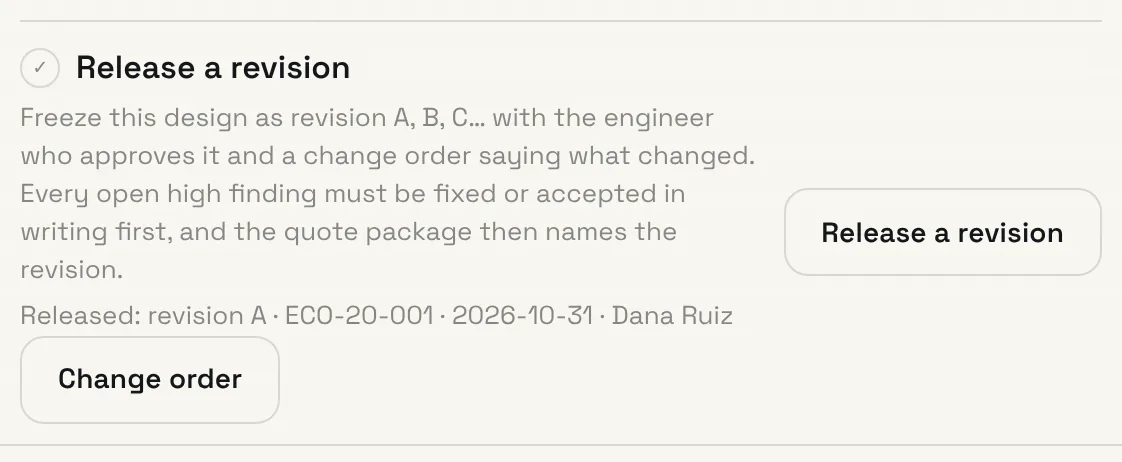
From the Take it to market card, Release a revision freezes the latest design as revision A, then B, C and so on, skipping I, O, Q, S, X and Z as engineering drawings do. You name the approving engineer and their role and say why it’s being released. Every open high finding needs that engineer’s own written reason before the release goes through.
- 07
Send factories the released revision
The release gets an engineering change order number and a change order listing what changed since the last release: parts added or removed, materials, processes, tolerances and critical dimensions, loads, fits, requirements, and how the safety factors moved. The quote package then states which revision it describes, or says it’s a draft with changes not yet released.
Good to know
- Write requirements someone can verify (“survives a 1.5 m drop onto concrete”) so each one traces to a check or a test.
- Name critical dimensions for what they measure, such as wall, M3_clearance_hole or lid_length, so they can be measured on the model.
- Releasing needs approve permission in the workspace. Viewers can see what stands between a design and a release but can’t release it.
What it doesn’t do yet
- A design is a factory-ready draft for quoting and sampling, not a certified design. A qualified engineer signs it off.
- The checks are first-order. Physical testing, and certification where it applies, are still required.
- The spec-to-model check reads round holes and named dimensions. Slots and other shapes are left to the drawing.
- Citation checks match numbers and words on the cited page; they don’t judge the argument.
Questions
Does a release mean the design is approved?
It records which revision was released, who approved it and why. It is not a certification of fitness; verification and any required testing stay with the approving engineer.
What happens to findings the designer accepted?
They’re listed with the designer’s reason. When you release, your engineer sees that reason but still has to give their own, which is what goes on the record.
Related guides
Updated 2026-10-31.